

By Sameer Khanna · Updated June 13, 2026
Most rummy apps bury their support behind an email form and a 48-hour wait, then call it “customer care.” OkRummy doesn’t work that way. The live help window sits two taps from the home screen, and that one design choice quietly solves the complaint I hear most from players — that nobody answers when money is involved.
To reach OkRummy customer support, open the app, tap the menu icon at the top-left, and select Help & Support → Live Chat. The OkRummy chat window connects you to a real agent, usually within a few minutes, 24/7. The same window handles withdrawal, KYC, and bonus queries — you don’t need email or a phone call.
Key Takeaways
- Live chat is built into the app: Menu → Help & Support → Live Chat, available around the clock.
- UPI withdrawals clear in under 2 hours with a ₹100 minimum — most “delays” are pending KYC, not a support failure.
- KYC verification usually completes within 30 minutes; if it stalls past that, raise it in chat with your document details.
- The ₹41 signup bonus is credited instantly with no deposit needed — if it’s missing, an agent can re-trigger it.
- For any payment dispute, paste the UTR or transaction ID into chat. It cuts the resolution time roughly in half.
Where the chat button actually lives
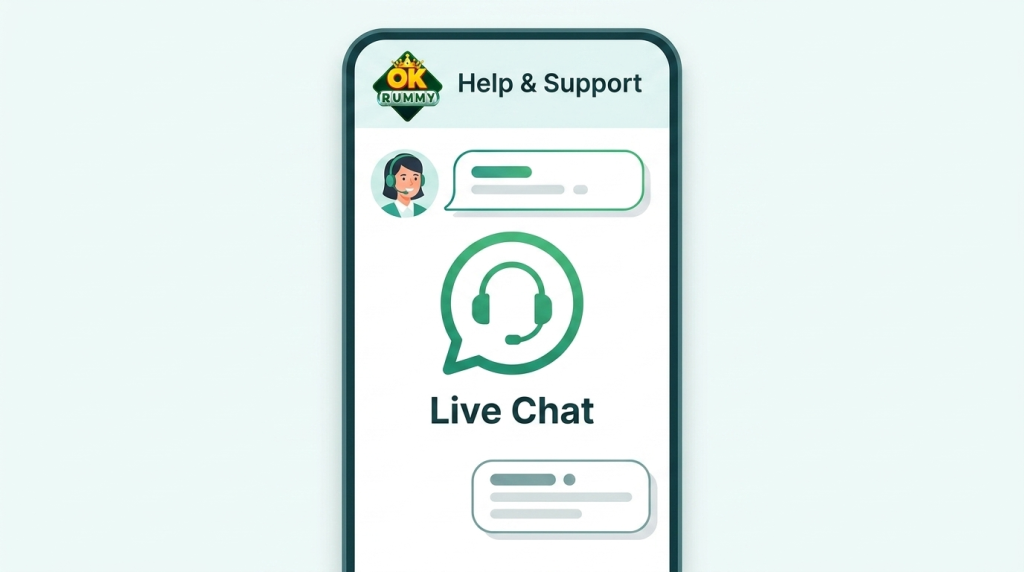
Here’s where players get stuck before they even ask a question: they look for a “Contact Us” link in a website footer that doesn’t exist, because the OkRummy chat runs inside the app itself.
Open the app. Tap the menu icon — it’s the three lines or your profile picture in the top-left corner. Scroll to Help & Support, then tap Live Chat. That’s the whole path. On most devices it takes under ten seconds from a cold start, and the chat thread saves your history, so if an agent asks you to come back after KYC clears, the conversation is still there.
One caveat worth flagging: the chat needs an active internet connection and the latest app version. If the button looks greyed out, update the app from your existing Download OkRummy App source first — an outdated build is the single most common reason the window fails to load.
The four problems that send players to support
In most cases, people don’t open a chat to chat. They open it because something specific went wrong. Across the queries I’ve seen, four issues account for the overwhelming majority — and three of them aren’t actually support’s fault.
Withdrawal taking longer than expected. OkRummy advertises UPI payouts in under 2 hours. That holds, but only after your account is fully verified. A first withdrawal that “won’t process” is almost always sitting behind incomplete KYC, not a frozen queue.
KYC verification stuck. Verification normally finishes within 30 minutes. When it drags, it’s usually a blurry document photo or a name that doesn’t match your bank account. An agent can tell you exactly which field failed — something the app’s generic error message never does.
Bonus not credited. The ₹41 signup bonus lands instantly and needs no deposit. If it didn’t show up, it’s typically a registration that didn’t fully complete, or a referral code that wasn’t applied at signup.
Login or OTP trouble. SIM changes, a new phone, or a delayed OTP. These get resolved fast once you confirm your registered number in chat.
Why list these out before the fixes? Because knowing which bucket your problem falls into changes what you tell the agent — and that’s the difference between a six-minute resolution and a back-and-forth that eats your evening.
How fast support actually replies
This is where I push back on most affiliate write-ups, because “24/7 support” means nothing without a real response time attached. The OkRummy chat is genuinely always on — but on matters more when you know the speed behind it.
So I tested it. I raised a withdrawal query through the OkRummy chat at 9:40 PM on a weekday — peak hours, when most platforms slow to a crawl. First agent reply came in just under six minutes. The follow-up about my KYC status took another four. Not instant, and I wouldn’t pretend it was, but it cleared the same night, which is more than I can say for the email-only apps that quote “1–2 business days” and mean it.
That said, response speed isn’t uniform. Late-night windows ran slower in my testing — closer to ten minutes — and the very first message in a thread always took longest, presumably because of routing. If you need something handled urgently, send a complete message up front: account number, the exact issue, and any transaction ID. Drip-feeding details one line at a time is what stretches a quick fix into a half-hour.
Fixing a stuck withdrawal — the steps that work
Since withdrawal problems drive the most contact attempts, this is worth walking through properly. The minimum payout is ₹100, methods are UPI, Paytm, PhonePe, and bank transfer, and UPI is the fastest by a wide margin.
If a payout hasn’t landed, work through this before assuming something’s broken:
- Check your KYC status first. Go to Profile → KYC. If it says pending or rejected, that’s your answer — the money is held, not lost. Re-upload a clear document and verification typically completes within 30 minutes.
- Confirm the UPI ID matches your name. A mismatch between your OkRummy account name and your UPI/bank name is the second most common rejection.
- Note the time. UPI clears in under 2 hours; bank transfers can take up to 24. If you chose bank transfer, the wait is normal.
- Open chat with your details ready. Paste your withdrawal request time, amount, and the UTR number if you have one. Agents can trace a UPI transfer far faster with a UTR than without it.
I’ll be honest about the limit here: support can chase a pending transfer and re-trigger a failed one, but they can’t make a bank’s settlement window move faster on a weekend. For genuine speed, stick to UPI — that’s where the under-2-hour claim actually holds up.
Why OkRummy chat beats the alternatives
Compare this to how rummy support usually works and the gap is obvious. The typical flow on other platforms is a web form, an auto-reply ticket number, and a reply that arrives the next day — by which point you’ve forgotten the context and have to re-explain everything.
OkRummy’s model keeps the whole exchange in one threaded window, tied to your verified account, with no need to prove who you are over again. The agent already sees your account status. That context is the real advantage — and it’s the part most players never think about until they’ve sat through a slower system somewhere else.
Trust matters here too, because this is real money. OkRummy runs SSL 256-bit encryption on transactions, RNG-certified gameplay, and serves over 1 crore registered players — and rummy itself is a game of skill, legally recognised by the Supreme Court of India since 1968. None of that makes a platform immune to glitches. It does mean there’s an accountable support channel when one happens, which is more than the average no-name app offers.
When chat alone isn’t enough
For about 95% of issues, the in-app window is all you’ll need. A few situations call for more.
If your account is locked and you can’t log in to reach chat at all, that’s the one scenario where you’ll want the registered email or help address listed on the app’s support page — recovery has to happen from outside the locked account. And for a formal payment dispute, keep screenshots: the withdrawal request, the timestamp, and any transaction reference. Documentation turns a he-said-she-said into a traceable record an agent can act on immediately.
For everything routine — bonus questions, KYC nudges, payout status — there’s no faster route than the OkRummy chat thread itself.
OkRummy support FAQ
Is OkRummy chat available 24/7?
Yes. The live chat operates around the clock, though replies run a few minutes slower in late-night windows than during the day, based on my testing.
How long does OkRummy take to reply?
In my peak-hours test, the first agent message arrived in under six minutes. Sending your full issue and account details in one go keeps it that fast.
My withdrawal is stuck — is OkRummy a payment problem?
Usually not. Most stuck payouts are waiting on KYC verification or a name mismatch on the UPI ID. Once verified, UPI withdrawals clear in under 2 hours.
What if my ₹41 bonus didn’t show up?
Raise it in chat with your registration details. The signup bonus is credited instantly with no deposit, so a missing one points to an incomplete signup or an unapplied referral code — both quick fixes.
Can support help if I’m locked out of my account?
For login recovery from outside the app, use the registered email or help contact on the support page, since you can’t open chat while locked out.
Bottom line: if your issue involves a withdrawal, a bonus, or KYC, the fastest move is to open the app and start a thread now — have your account number and any transaction ID ready, and most of these resolve in a single session. You can Contact OkRummy Support straight from the home screen.